Samples
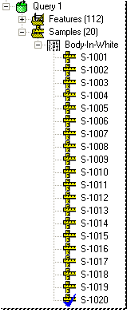
A sample represents actual values for one or more features. Typically, a sample will encompass the actual values collected for a single item. A sample can include actual values for one or more of the characteristics of a Feature. Samples have descriptive properties such as creation date/time, file name, etc. Sample data can be viewed in the info bar, or by expanding the data tree's samples node.
Activating a Sample
A blue check appears on the currently active sample in the data tree. In the Query Properties dialog, the Activate Last Sample on Load check box can be selected or unselected according to your preferences (i.e. if you do not want the last sample to be the active sample on load, uncheck Activate Last Sample on Load). To make a different sample in the query the active sample, right click on the sample and select Activate from the menu. The blue check will move to the sample you have Activated and the current active sample will become deactivated. However, if you Deactivate the current sample but do not activate another sample, the last sample will remain the active sample.
Sample Properties
Creation Date - date/time created, typically extracted from data file.
Import Date - user description of sample.
Description - date/time transferred from data file to CM4D database.
Filename - file DataSmith scanned and extracted values from.
Data Source - user comment for origination of data.
Status - active or masked
Can we improve this topic? Click Send Feedback in the upper right of the screen to share your comments!