Check Results Rules in CM4D
If you have data loaded in your Query and want to check that the Rule you just created loads the correct Nominal data for your loaded Routine:
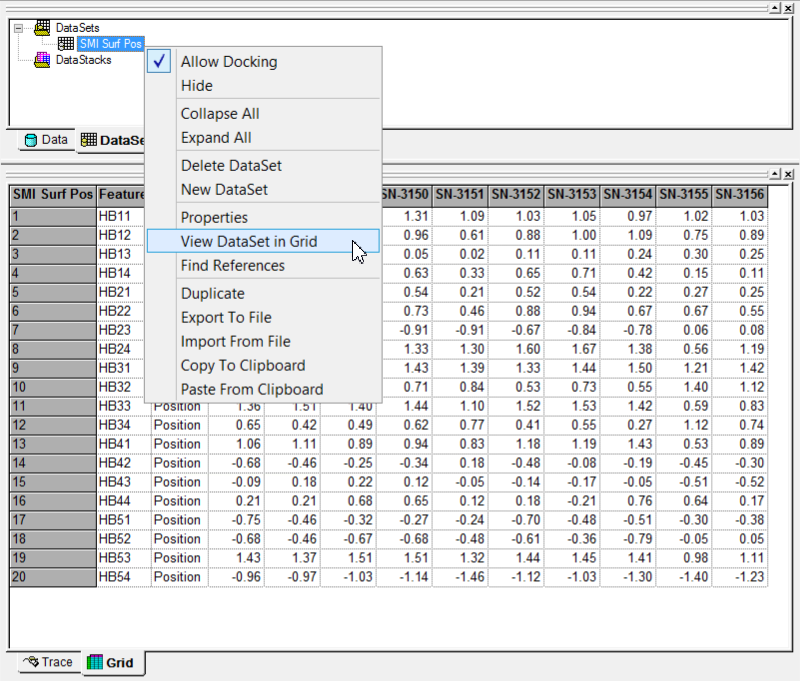
Right-click the DataSet in the tree.
Select View DataSet in Grid.
The contents of the DataSet will be displayed in the Grid tab.
If no data is loaded in the DataSet, check the Sift Rules to be sure you have selected the correct Feature Types and Characteristics.
Can we improve this topic? Click Send Feedback in the upper right of the screen to share your comments!