The following are some common issues and possible solutions:
|
Area |
Issue |
Checks |
Solution(s) |
|
|
CM4D Configuration |
CM4D DataSmith and CM4D Configuration pages errors. |
Check the CM4D API service. |
If not running, start the CM4D API service. |
|
|
CM4D Configuration - Settings |
Test Connection for Batch Proxy fails with correct information. |
Check that the DSBatch service is running. |
If not running, start the batch service. |
|
|
Security Manager - Login |
On login screen, see the message 'Authority_site_error' when attempting to load Configuration error. |
Check that the Security Manager service is running. |
If not started, start the service. |
|
|
Upload Portal |
Upload Portal page stuck on loading screen. |
Check the CM4D API service. |
If not running, start the CM4D API service. |
|
|
Upload Portal - My Projects |
Upload Portal page loads, but no projects appear. |
Check the connection URL for the cm4d plugin. |
The port number must point to the CM4D API, not the upload portal. |
Installations
|
Area |
Issue |
Checks |
Solution(s) |
|
|
CM4D Configuration Installation |
No Security Manager detected during CM4D Configuration plugin installation. 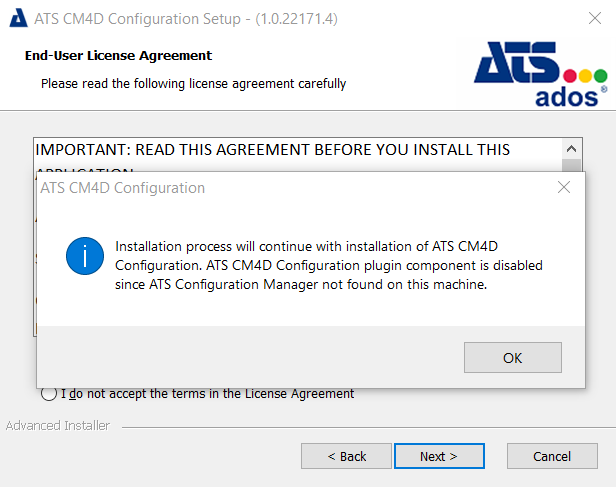
|
Do you want to install the CM4D Configuration plugin? |
Click OK and cancel the installation. Either install Security Manager and then install CM4D Configuration, or run the CM4D Configuration installer on the machine where Security Manager is already installed. |
|
|
Do you want to install only the CM4D API? |
Click OK and continue the installation. |
|||
|
CM4D Peruse Installation
|
After entering the correct CM4D API location, still results in an error: 'Please enter a valid location for CM4D API'. 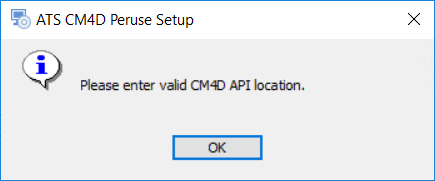
|
Check that the CM4D API service is running. |
If not running, start the CM4D API service. |
|
|
During installation, connection to ATS Security endpoint fails. 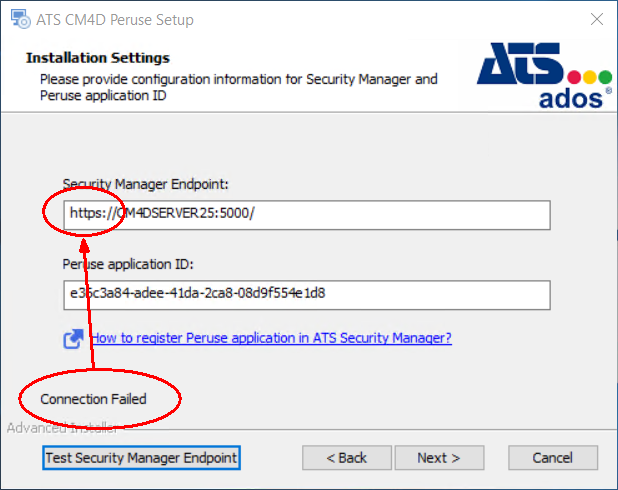
|
Compare the default address in the field for HTTP/HTTPS. |
By default, the installer enters it as HTTPS, but your Security Manager may use HTTP. |