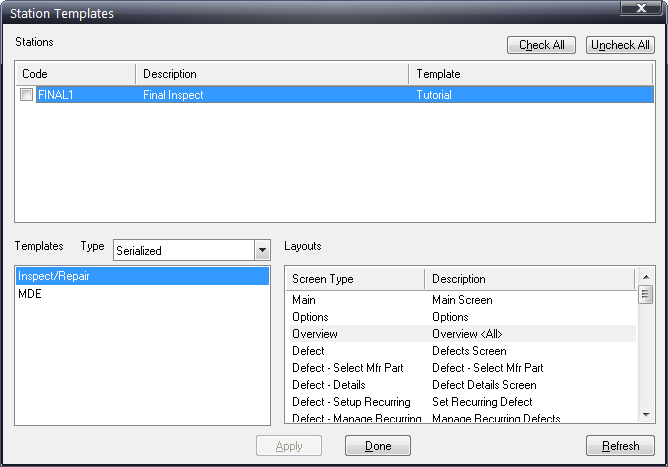
The final step of creating layouts is to assign the templates to the Data Collect stations themselves.
1. Click File > Station Templates.
2. Click the Type arrow in the middle of the dialog and choose either batch or serialized to display a list of available templates of the type you selected.
3. Use the station checkboxes to select a station to which you want to associate a template.
4. Select the template to be associated with the selected station.
5. Click Apply.
6. Repeat these steps for each station to which you want to apply a template.
7. Click Done.