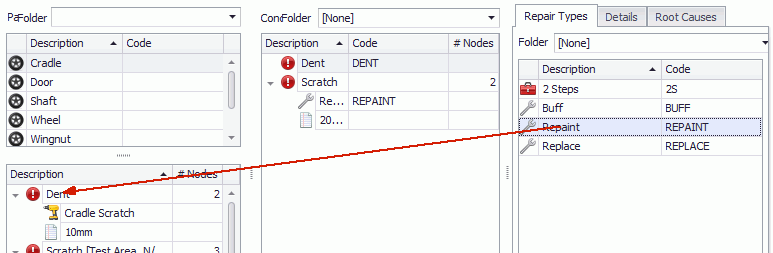
Carry out these steps to associate the selected root causes to all concerns that are added for the selected part.
1. Select the Attribute tab.
2. Click Parts/Concerns.
3. Select a part from the list in the upper-left pane.
The list of associated concerns is shown in the lower-left pane.
4. Select the Root Causes tab in the right-hand pane.
5. Drag and drop root causes from the right-hand pane onto the required concern in the lower-left pane.
6. Click OK.
The root cause is associated to the part/concern.