View Current Usage
Licenses that are currently in use can be viewed in the Current Usage tab.
Select the Current Usage tab.
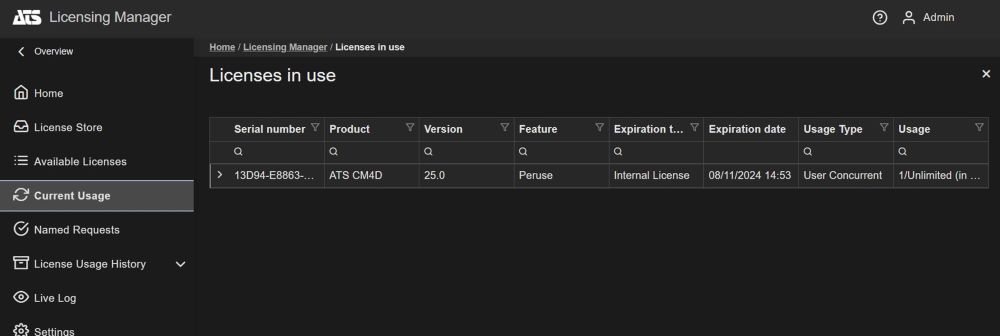
An overview of the product licenses currently used by each client application is shown.
Select a license in the top pane (only licenses in use will be displayed).
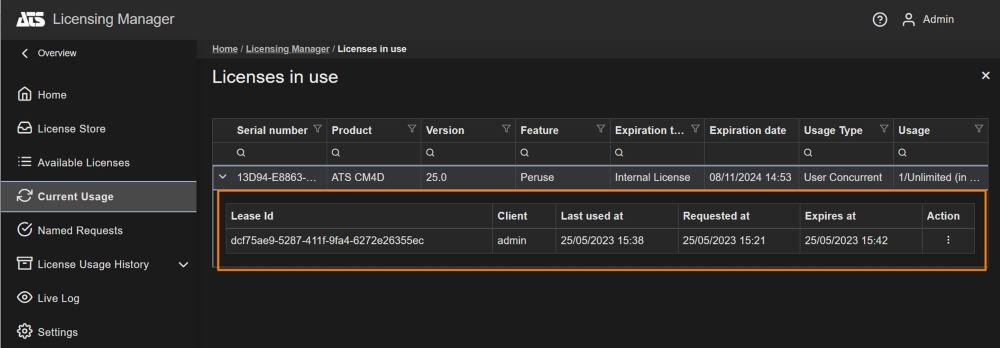
The clients using the license are displayed in the bottom pane.
Kick Client Off License
It is possible to remotely stop a client machine from using a license. This is only possible for concurrent connections.
Select the Current Usage tab.
The list shows licenses currently in use.
Select a license that requires a user to be removed.
The leases in use are displayed in the lower pane.
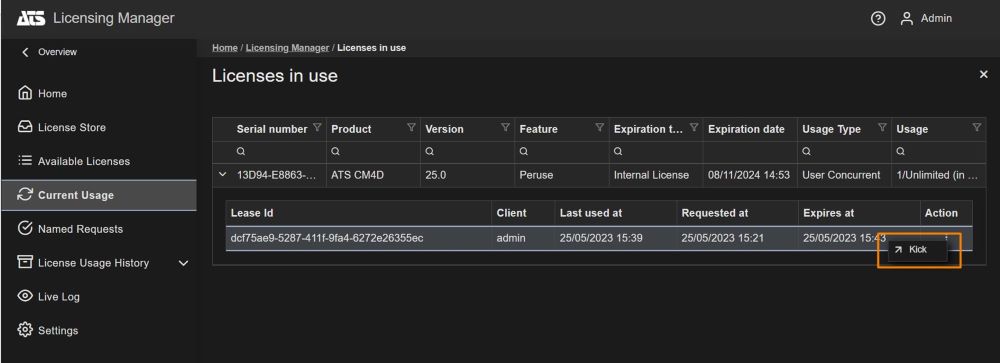
Select the lease that the machine is using.
From the action menu select Kick.
A message for the kicked user will appear.
The user that has been kicked off will not be able to obtain a license for the same product/feature/version for a certain period of time. By default is 5 minutes.