After an upgrade, the following routine tasks are recommended:
- Run the Results Database Utility. This checks for any new or updated stored procedures and will perform any changes to the Results database. This utility does not change your data.
- Run the Site Database Utility and Datasource Database Utility. These utilities should only be run for CM4D version upgrades with a Schema change.
Additional migration tasks may be required where outlined in the release details for each version.
v25.3.25246.1 Hot Fix 1
See here for bug fixes.
ATS Licensing FIPS Support
CM4D licensing is now compliant with FIPS (Federal Information Processing Standards) regulations.
Requires ATS Licensing Server 4. If you are running the ATS Licensing WCF Host Communicator service, see here for the required configuration setting.
v25.3
- Schema: 25c-25f
ATS Software Prerequisites and Compatibility
This version of CM4D requires ATS Security 1.10 or higher. Upgrade to this minimum version of ATS Security before upgrading to CM4D 25.3.
Results Database Migration
If you are upgrading a Results database from to 25.2 to 25.3 you may need to run a new database utility called Data Command Generator that is included in the 25.3 CM4D Server installer. This version introduces a new column in the Routines table of the Results database, so upgraded Results databases may have an empty GUID for DataSourceID. Because of this, Routines will not load properly in Peruse and you will see a warning message when searching for data in Peruse.
The Data Command Generator is installed with CM4D Server in the .\CM4D\Database Utilities folder. Run the utility on the CM4D Site database to trigger a transfer of the required Routine information from the CM4D database to the Results database via Results services.
Check the Routine table in your Results database to confirm the missing GUIDs, then run the Data Command Generator to trigger the transfer of the IDs from the CM4D database.
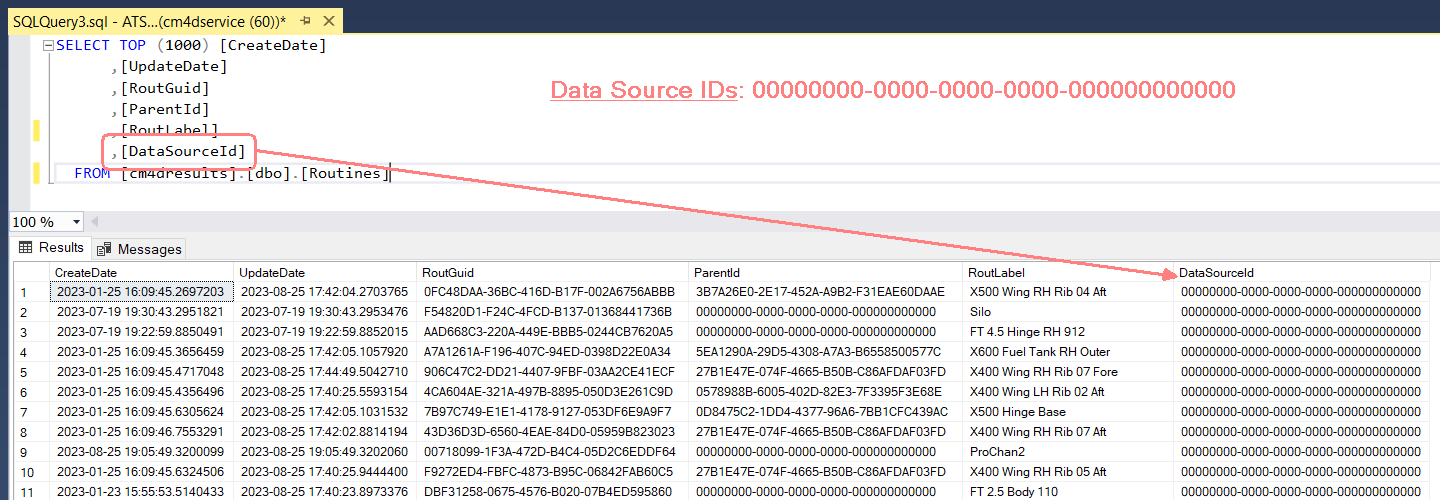
See the topic Data Command Generator for details on running the utility.
DataSource Permissions
User permissions are now required to access data in Peruse, based on the DataSources permitted by the assigned user role.
CM4D Web Deprecation
The web application CM4D Web is now fully deprecated from the CM4D products. The functionality previously found in CM4D Web is now found in the following:
- ATS Reporting (plugin for ATS Configuration Manager) - Access to on-demand report generation and printed scheduled reports.
- CM4D Classic - Managed Report Administration - Create or modify Managed Reports for CM4D Scheduler directly from CM4D Classic.
- CM4D Configuration (plugin for ATS Configuration Manager) - EventSmith - Subscribe to Events or manage SMTP settings.
New Features in Peruse
Layouts
Automated annotation placement with leader lines around the 3D model (like AutoReports in CM4Dc or Reports in CM4Di) is now available in Peruse. These layouts must be configured by an Administrator, and include options for annotation placement, count per page, etc. Layouts in CM4D Peruse are comparable to Auto Reports in CM4D Classic and Reports in CM4D Interactive, but with some functional differences.
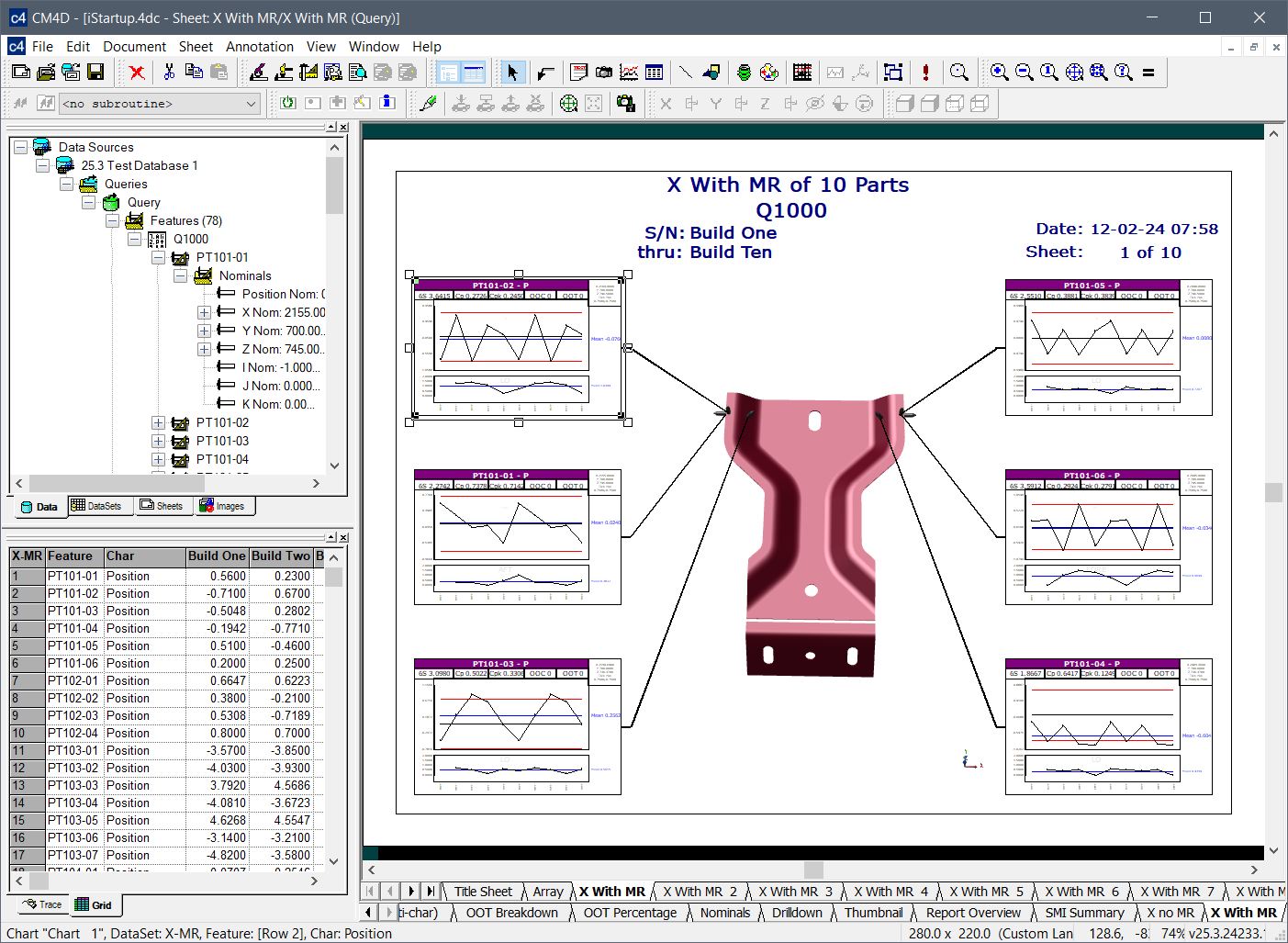
Auto Reports in CM4D Classic
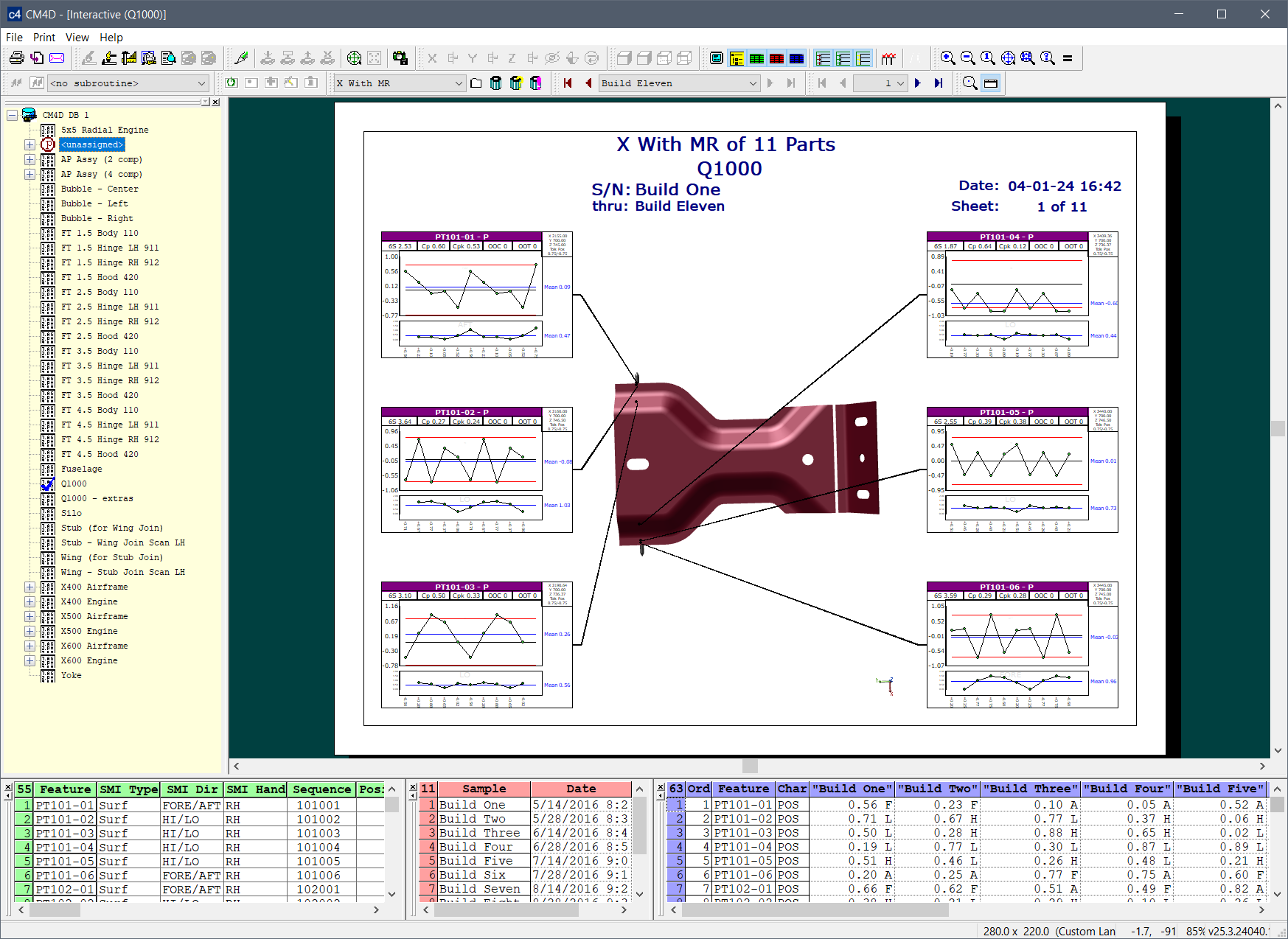
Reports in CM4D Interactive
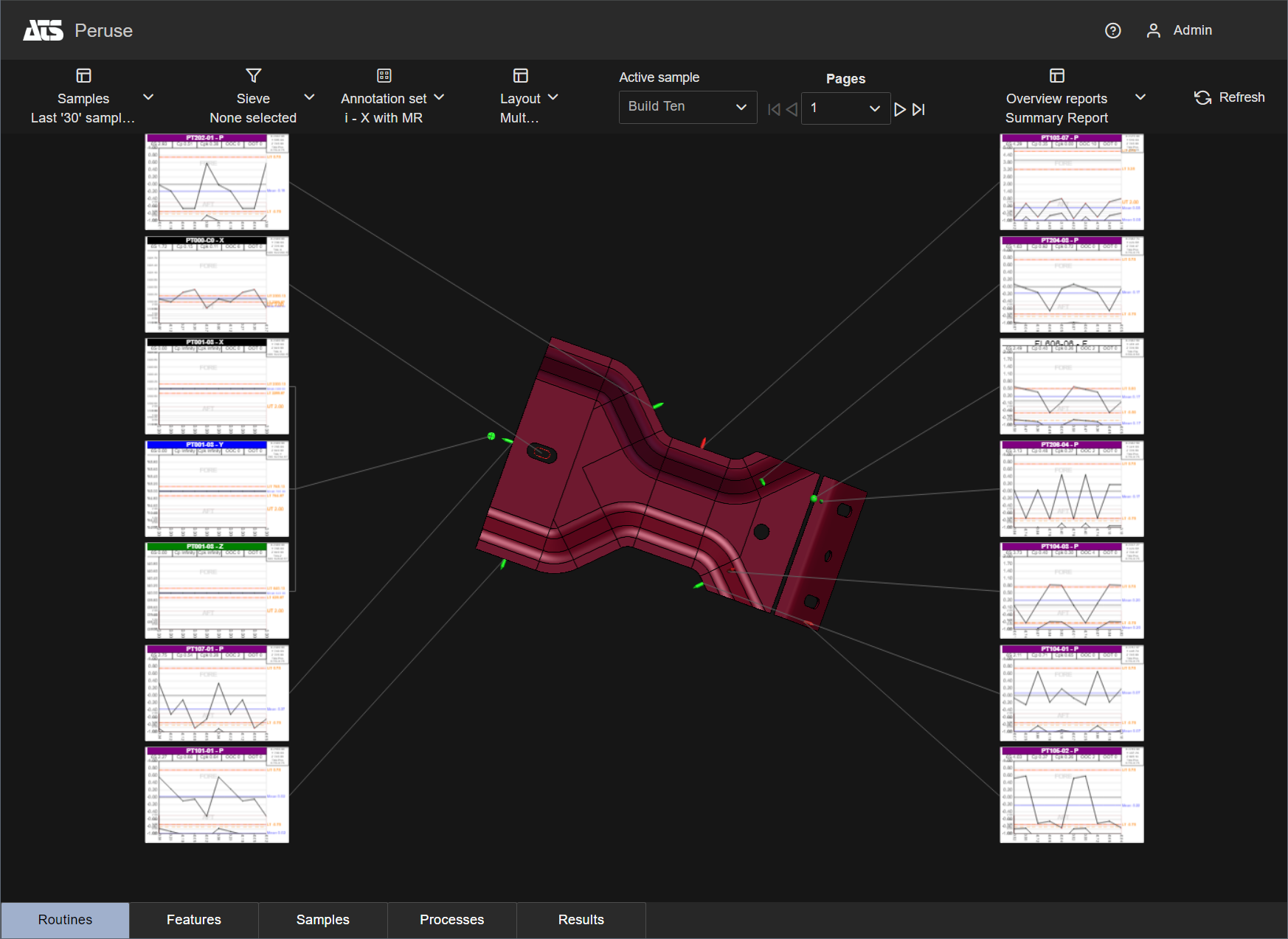
Layouts in CM4D Peruse
Drilldown Reports
Single page reports (like Drilldowns in CM4Di) are now implemented in Peruse to display data for a single Process.These are sheets exported directly from CM4D Classic and imported to CM4D Config by an Administrator.
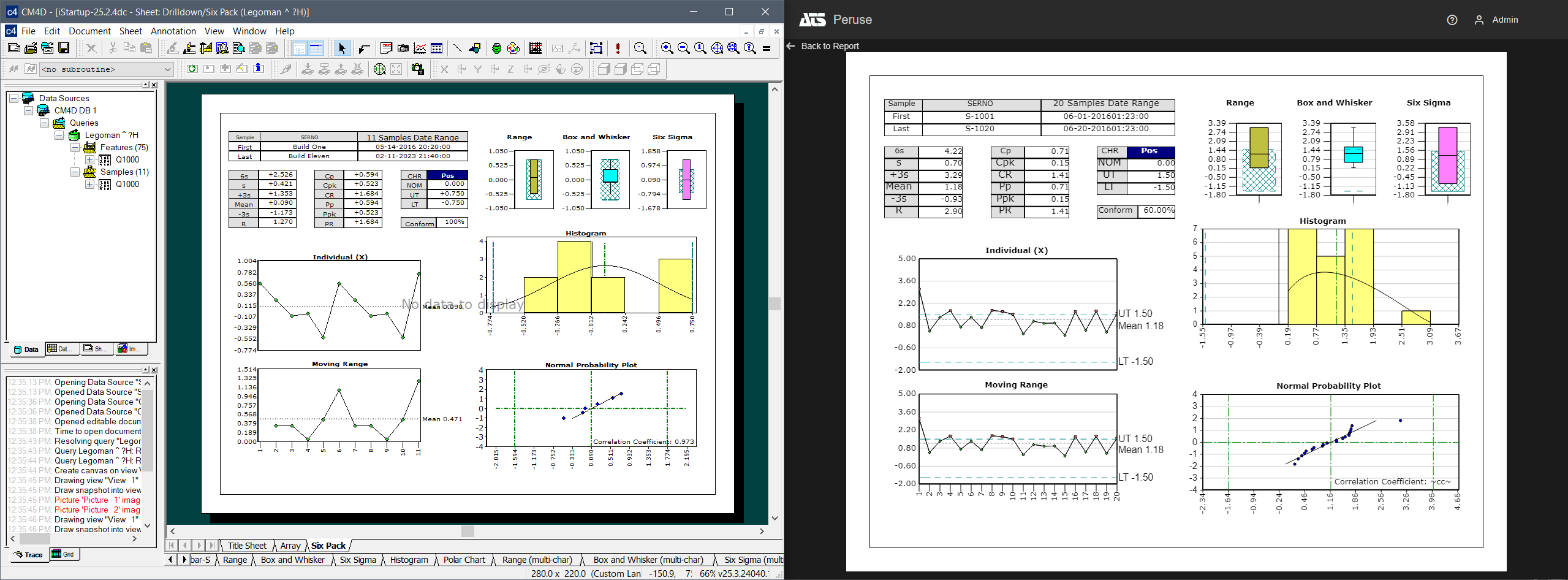
Sheets set up in CM4D Classic (Left) are exported and used as Drill down reports in CM4D Peruse (Right).
Peruse Drill Down Report Configuration
More Supported Variables
Additional CM4D variables are now supported for use in Peruse annotations and reports, including Cpm, Cpk A/B Levels, displayed samples, and LCL/UCL with primary/secondary modifiers. Peruse has the following restrictions for variables:
- Variable Expressions: Variable expressions are not supported in Peruse. In CM4D, you can use a variable expression to resolve the feature direction for the value of that expression. For example, if the expression in CM4D is {^abs(~mean~)}, the feature direction is resolved based on absolute value of the mean.
- DataSet Variables: DataSet variables (e.g. ~dataset,conformcount~) resolve the same as the non-DataSet (~conformcount~) variant. All variables are calculated only for the selected processes/features/results.
Peruse Annotation Template Variables
Subgroups
Subgroups are now included in the Results database; subgroup data is used to calculate results and graph types requiring subgrouping are now supported for Peruse annotations. Subgroups settings for the Results database are set on the Managed DataSource and can be configured at that level or further defined for each Routine.
Graph Types
Additional graph types are now supported for use in Peruse (XBar & R, XBar & S, Six Sigma, Pareto, Normality, Range). Includes support for the “Show Table” option for Process Control graphs (X-MR, MA-MR, XBar & R, XBar & S).
Peruse Annotation Templates Configuration
Load Active Sample via Query String
The Active Sample identifier is now included as part of the Routine string in the Peruse URL. This allows links from external reports (like PowerBi) the option to load a specific Sample in Peruse. If the active sample referenced in the URL is invalid, the last sample is activated instead.
Updated UI Design
Some changes to improve usability have been implemented for the user interface and menus.
DataSource Search Filter
A default filter option has been added that lets you pick one or more CM4D Managed Datasources to narrow your search when searching for data in Peruse (like Routine Filters).
New Features in CM4D Configuration (Plugin)
EventSmith Subscriptions and SMTP
All EventSmith configuration and management is now available in the CM4D Configuration plugin.
DataSmith Batch Jobs UI Improvements
UI changes to the job properties to improve usability have been implemented. The DSBatch job properties are now distributed in a number of tabs, allowing for quick navigation between options.
DataSmith Batch Proxy Agent
The DataSmith Batch Proxy service is now a Proxy Agent, a self-registering service endpoint to communicate with the CM4D API hub in real-time.
Supporting Language Packs for Peruse
Language packs can now be imported for the CM4D Peruse UI.
See here to see the release notes for previous versions.