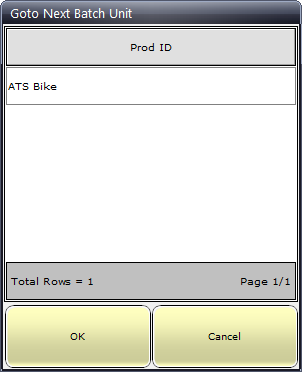
The Next Unit button allows you to select the product for the next unit on the production line. Once it has been selected a serial number is automatically assigned to it.
1. Click Next Unit.
2. Select ATS Bike.
The next time you open this screen this choice will automatically be selected so you will only need to click OK.
3. Click OK.
The Main screen now displays an image of the bike. Also note that the Product and Serial number have been filled in. The serial number is automatically generated by the database.
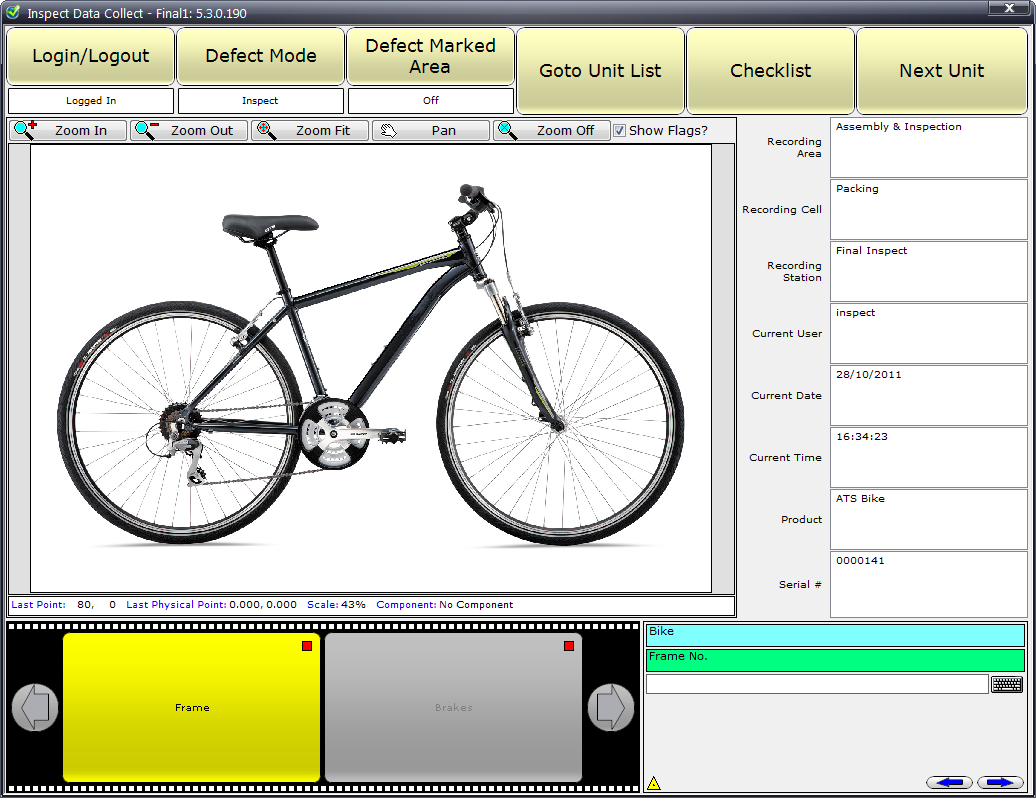
If you are unable to see a checklist question ensure the Checklist Service and Checklist Generation Service are running. If that fails ensure that the station is looking at the correct checklist server (see here) and that the checklist server has been correctly added (see here).
At this point you will only be able to assign defects to the crossbar and down-tube that were specified for the first step. You will not be able to move onto the second step, containing the other components, until all the checklist questions are answered. We will do that later.