The Available licenses tab shows the total number of connections (named or concurrent) from all imported licenses available per product, version and feature.
The total number includes both used and unused licenses. In addition, only licenses from valid license sets are listed. Licenses from expired, or other invalidated license sets, will not be counted as available licenses.
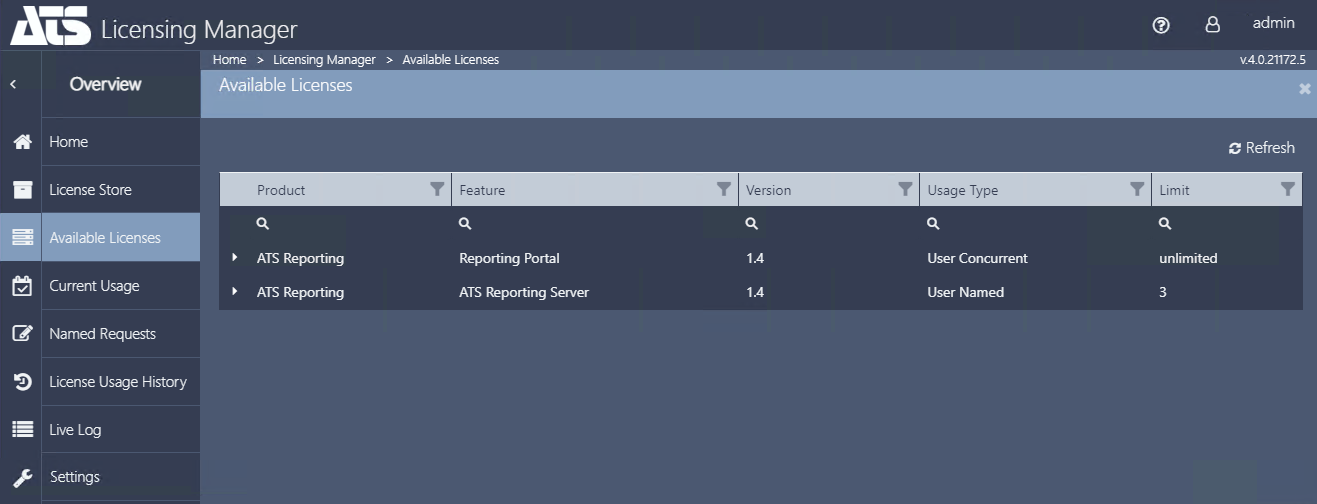
When expanded using the plus ( ) icon the summarized entry will show all separate licenses that sum up to give the total number of available connections for the given product-version-feature combination.
Filter License List
All lists can be filtered by clicking on the filter icon in each column header.
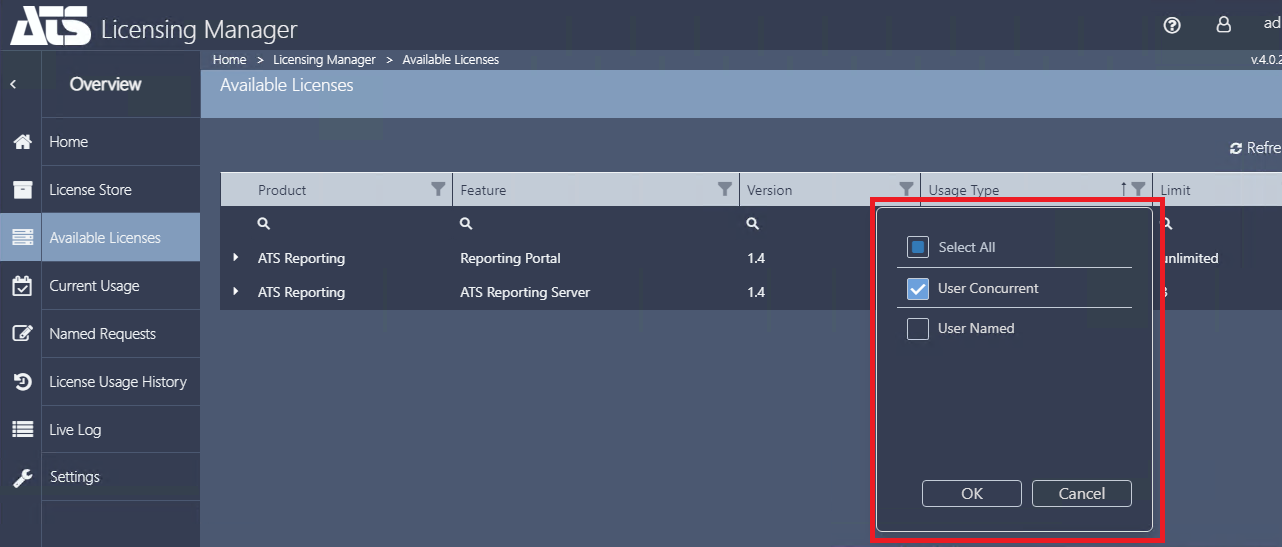
For example, filtering by the User Concurrent Usage Type will only display concurrent licenses.
Search for a License Set
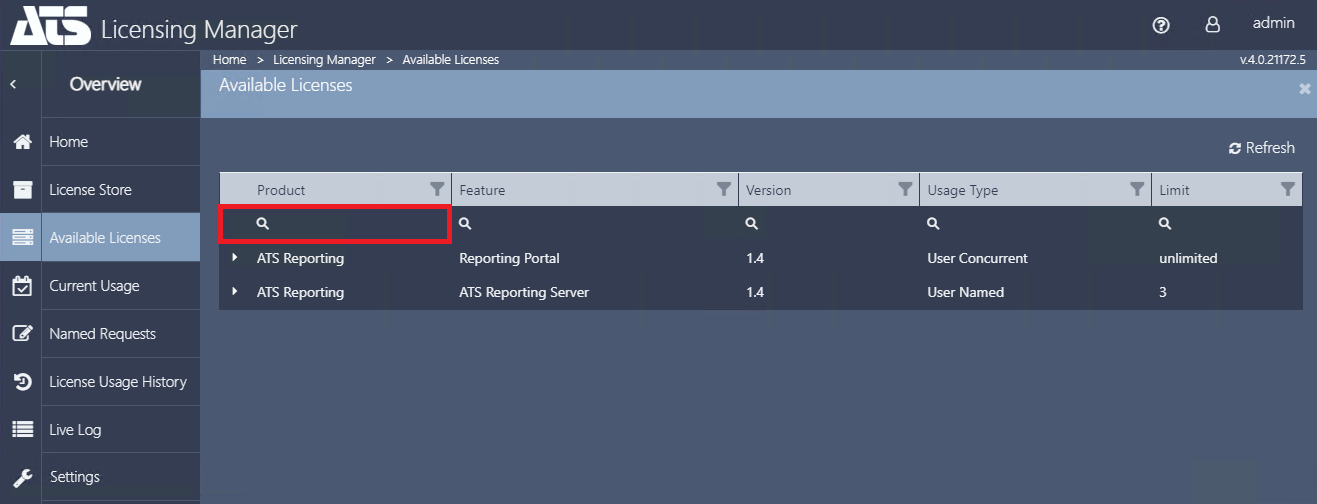
Users can search for licenses by clicking on the magnifying glass in each column and entering a search term. Only license sets matching the search terms entered will be displayed.
The search function is available for the Product, Feature, Version, Usage Type and Limit columns.
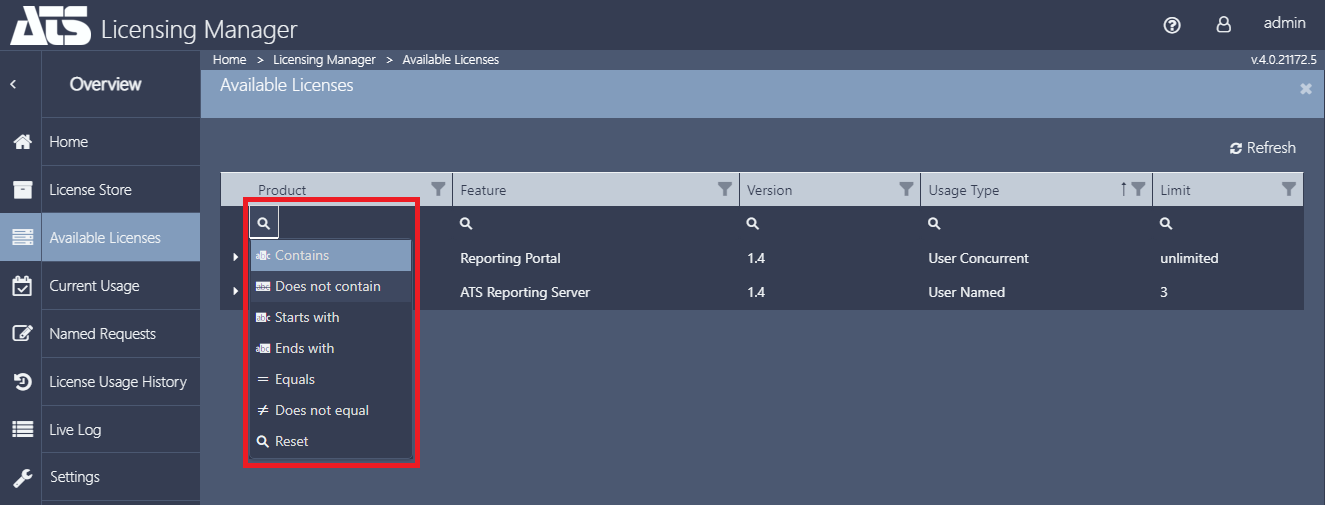
Users can also apply additional search parameters by hovering over the magnifier icon.
The search parameters include Contain, Does not contain, Starts with, Ends with, Equals, Does not equal and Reset.
Sort License List
Each column can be sorted in ascending or descending order by clicking on the column header. The direction of the sort order is indicated by an arrow adjacent to the filter icon.
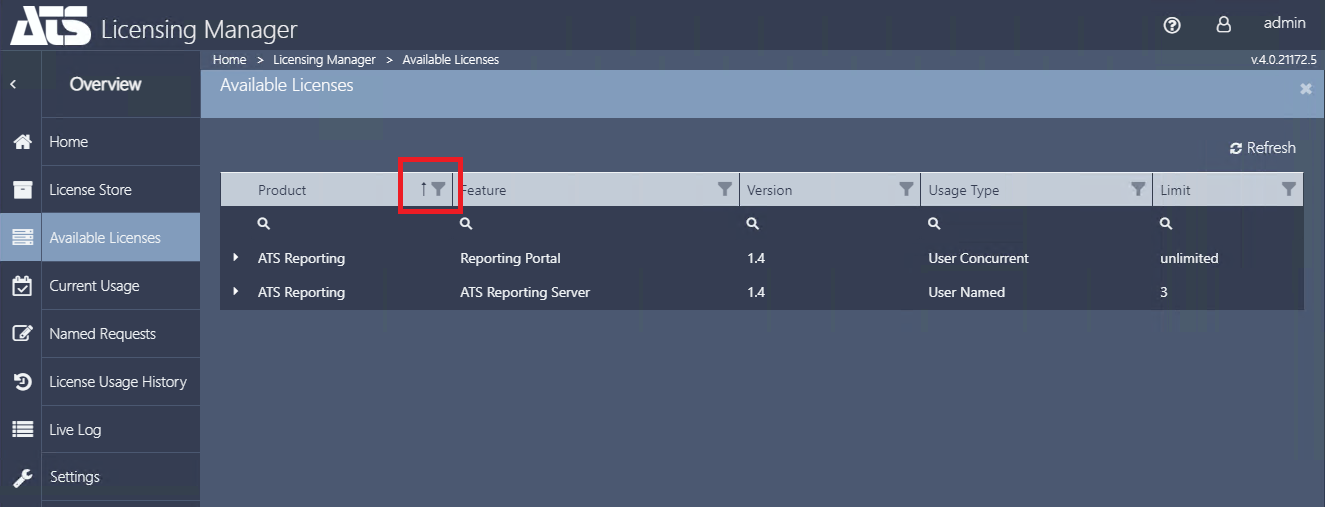
In the example above, items are sorted by Product in ascending order. By clicking on the column again, the column will be sorted in descending order.