NServiceBus (used by CM4D Results and EventSmith services) provides powerful error handling and monitoring tools:
- ServiceControl - Collects data from endpoints (CM4D Services).
- ServicePulse - A web-based application to inspect failed messages and resubmit them and to monitor the availability and performance of endpoints.
- ServiceInsight - Supports auditing of message details but has a major performance impact.
At a minimum, it is strongly recommended to use ServiceControl and ServicePulse. You need to configure at least one instance of ServiceControl and one Monitoring instance for the transport method chosen during the installation of the Results service.
The downloads and installation instructions for the NServiceBus applications can be found on the Particular Software website.
It is highly recommended to install monitoring services on a different machine from the Results services to ensure maximum processing power for the Results services.
Service Control/Monitoring Instances
ServiceControl Manager is third party software that creates a monitoring instance that collects and analyzes metric data generated by the metrics plugin installed in NServiceBus endpoints. The endpoints utilizing NServiceBus related to CM4D specifically are the Results services and EventSmith SMTP services.
Each of the CM4D services that utilize NServiceBus have installation options for configuring the connection to ServiceControl instances.
See also:
Configure ServiceControl Manager
Configuring the Results Services
Results Services Queues
During installation of the CM4D Results services, three Queues are configured to be used for monitoring by ServiceControl Manager.
- Error Queue (default: error)
- Monitoring Queue (default: Particular.Monitoring)
- Service Control Queue (default: Particular.ServiceControl)
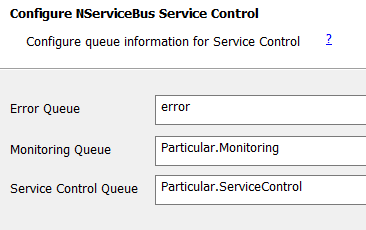
ServiceControl queues configured during Results services installation.
These Queue labels must match the corresponding ServiceControl instances for the selected transport option.
Queues for the Transport option Azure Storage Queue cannot use labels that include capital letters or the decimal/period (.) symbol. For example, replace the default 'Particular.Monitoring' with 'particular-monitoring'. Refer the Microsoft documentation for technical details on Azure Storage Queue Names.
When creating new monitoring instances in ServiceControl Manager, be sure to match the queue labels provided to the Results services.
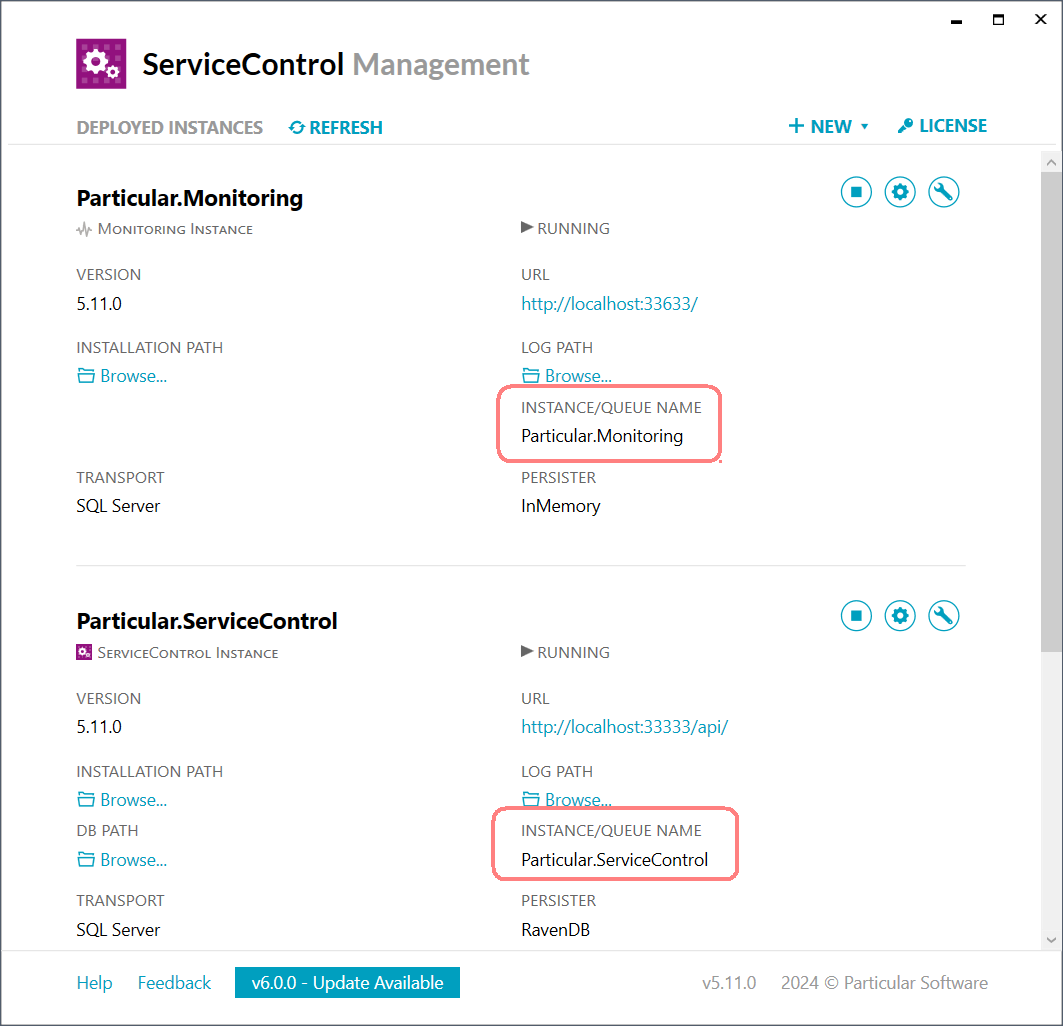
Results services transport queues must match the instance/queue name in ServiceControl Manager.
Following installation, these queues may be re-configured in the appsettings.json for each service.
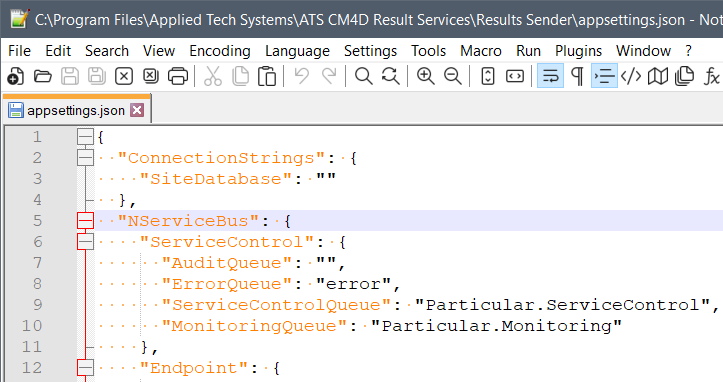
Queues in the appsettings.json file for a Results service (default path: .\Applied Tech Systems\ATS CM4D Results Services\).
See also:
Configuring the Results Services
Configure ServiceControl Manager
Can we improve this topic? Click Send Feedback in the upper right of the screen to share your comments!